Testing the eMudhra CA fix: four shortcuts that don't work
When a certificate authority is distrusted, the advice is to upgrade certifi, upgrade pip and rebuild. I followed that advice in the official Docker images, then asked each client to connect to a site signed with a cracked key. Four fixes that looked right did nothing. The only proof is your client refusing a bad certificate.
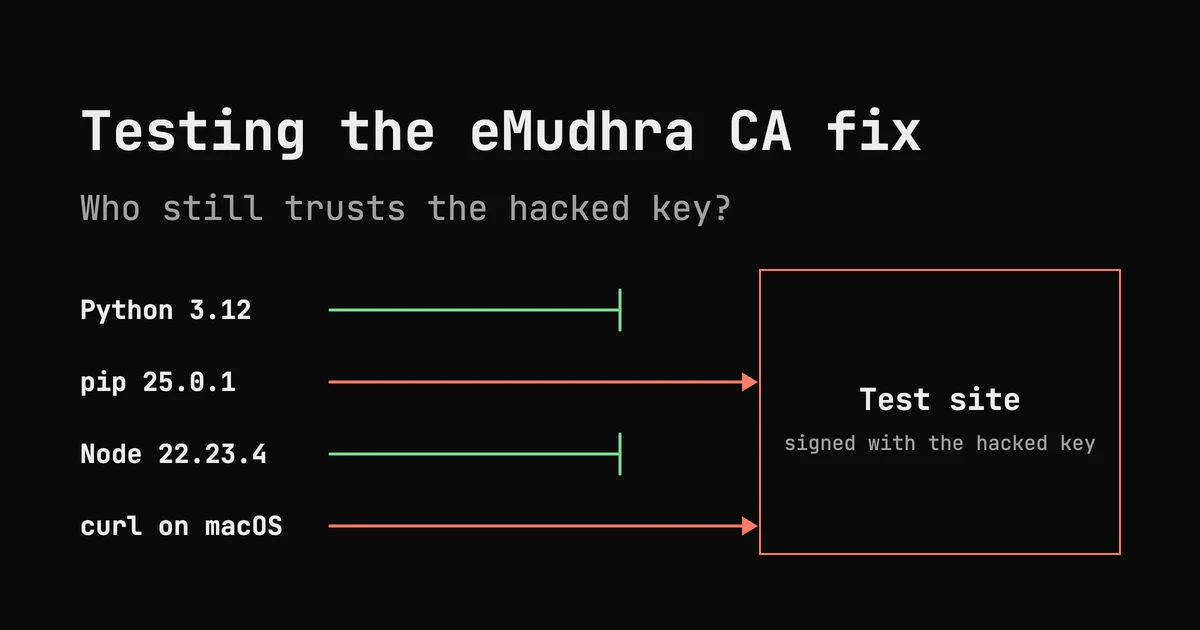
On 20 October 2026 the Python team posted a short notice: upgrade certifi, upgrade pip, rebuild your containers. A certificate authority called eMudhra had leaked the ability to sign certificates for any website, and the fix was to stop trusting it.
Most people will read that, bump a version, and move on. I wanted to know if that is enough. So I took the official Docker images, applied the usual fixes, and asked each client to connect to a site signed with one of the cracked keys. A fixed client must refuse it.
Four of the fixes I tried looked right and did nothing. This post is those four, why each one fails, and the test that caught it.
What happened, in two paragraphs#
When your code opens an HTTPS URL, the server sends a certificate. Your code accepts it only if the certificate chains up to a root on its trust list. Anyone with the private key of a trusted certificate authority (CA) can sign a certificate for any domain.
eMudhra generated the keys for eight of its intermediate CAs wrongly. The incident write-up says “anyone can recover them from the certificates.” Those intermediates had existed since April 2025, chained to roots that every major trust list carried.
Why browsers were fine and your server may not be#
Browsers were protected within days. They reject certificates that are missing from the public Certificate Transparency logs, and their vendors push block lists to every browser. Chrome and Firefox blocked these intermediates on 17 October.
Server-side code does neither. A Python script, a Node service or a curl in a cron job trusts whatever roots are in its own file, and that file only changes with a software update. And one server has several of those files:
| Trust list | Used by | How it gets fixed |
|---|---|---|
OS store (ca-certificates) | Python’s ssl module, curl, most C programs | OS package update |
certifi | requests, httpx, aiohttp with certifi | upgrade certifi |
| pip’s own copy of certifi | pip install | upgrade pip itself |
| Node’s built-in roots | every Node program | a new Node release |
| Bun’s built-in roots | every Bun program | a new Bun release |
Fixing one does nothing for the others. And a version number won’t tell you which list a client really uses.
The test#
The incident write-up runs test sites that serve certificates signed by the compromised intermediates. A patched client must refuse them:
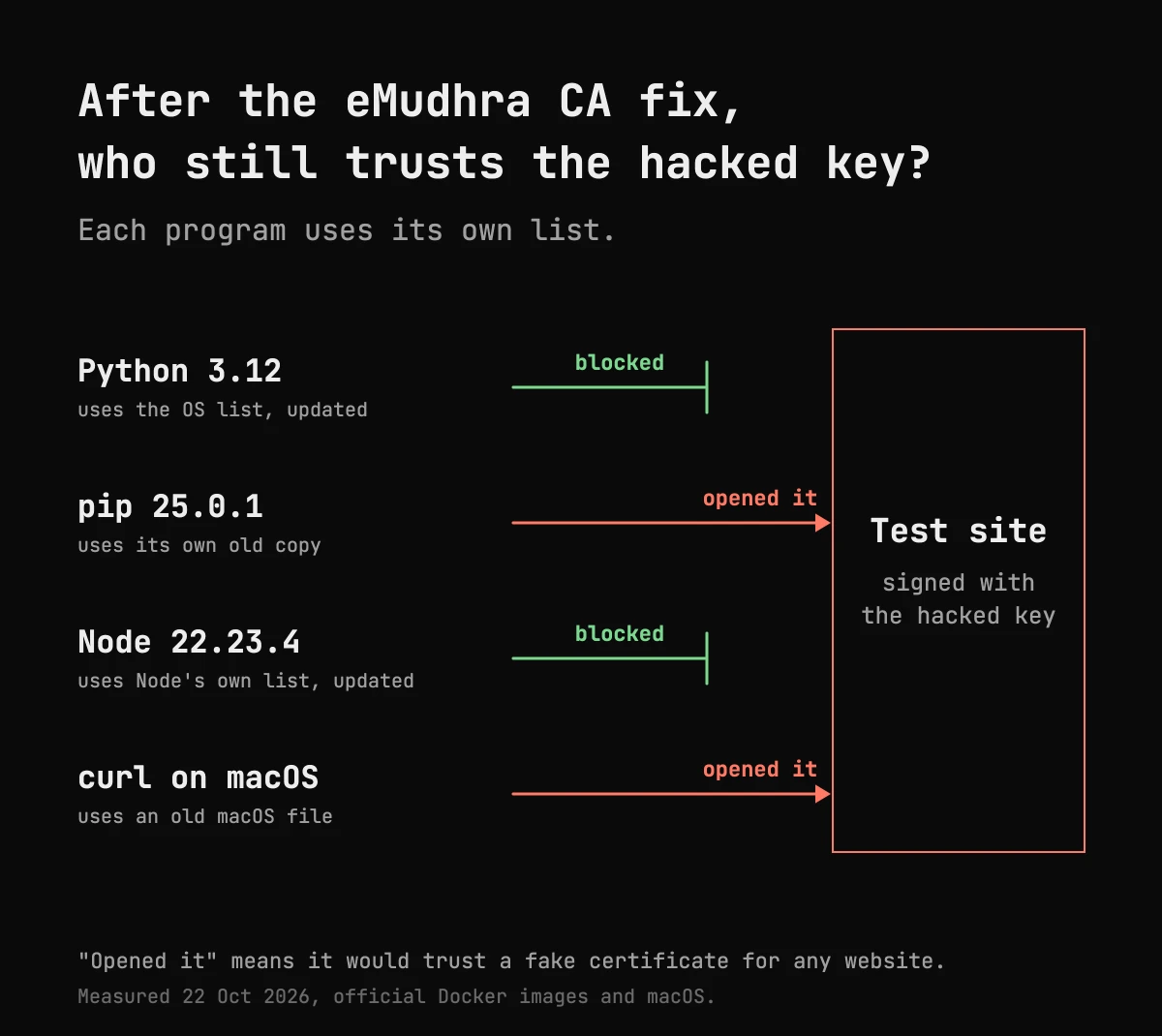
curl https://dv-g3b-emudhra.we-have-a-problem.com/A certificate error is the good result. A page means your client would trust a forged certificate for any site. I ran this request from every client below.
Fix 1: upgrade certifi#
This is the first line of the advice, and it is right for your app. It is not right for pip.
pip ships its own copy of certifi inside itself, at pip._vendor.certifi. In the official python:3.12-slim image, I installed certifi 2026.10.19 and ran the test:
python -c "import urllib.request as u; u.urlopen('https://dv-g3b-emudhra.we-have-a-problem.com/')"
  CERTIFICATE_VERIFY_FAILED                     # Python refuses

pip download https://dv-g3b-emudhra.we-have-a-problem.com/x-1.0-py3-none-any.whl
  Downloading ... (60 bytes)                    # pip connects
Same container, same moment. Python refuses, and pip downloads a file from the bad site.
This matters whenever pip downloads packages: during a Docker build, or any pip install. Someone who can intercept that traffic could hand pip a fake package. Your app’s own HTTPS calls don’t go through pip, so they use whatever list your app uses. To check what your pip trusts:
python -c "import pip._vendor.certifi as c; print('emSign ECC Root CA - G3' in open(c.where()).read())"True means it still trusts the bad root. What works: pip 26.2.2 or later.
Fix 2: rebuild from a fresh image#
Rebuilding sounds like it should pick up every fix. It does for the OS store: every official Python image already refused the test site through Python’s ssl module. It does not for pip. The images rebuilt on 21 October ship the pip their Python release bundled:
image               pip      pip trusts bad root
python:3.11-slim    24.0     yes
python:3.12-slim    25.0.1   yes
python:3.13-slim    26.2.2   no
python:3.14-slim    26.2.2   no
3.11 and 3.12 are in security-only mode, so they get a new pip only with a new Python patch release. Until then, if you build on them, upgrade pip first:
RUN pip install --no-cache-dir -U "pip>=26.2.2"Fix 3: point pip at the fixed OS store#
A common workaround is to make pip use the system bundle, which the OS update already fixed:
PIP_CERT=/etc/ssl/certs/ca-certificates.crtI tested it on both old pips:
pip 24.0   + PIP_CERT   refuses the bad site
pip 25.0.1 + PIP_CERT   still connects
It works on 24.0 and does nothing on 25.0.1. Since 24.2, pip loads the system trust store through truststore by default, and, as a pip maintainer explained in the Python thread, it always loads its vendored certifi “in addition”. PIP_CERT and --cert only add CAs. The old roots stay.
The same line is a fix on one version and a no-op on the next, and both look identical until you test them. What works: upgrade pip.
Fix 4: make Node use the fixed OS store#
Node does not read the OS store by default. Its roots are compiled into the binary, and only Node 22.23.4, 24.22.1 and 26.12.1 or later refuse the test site. Node 20 is end of life and gets no fix. If you can’t move to a new Node, the obvious workaround is to make Node trust the fixed OS bundle instead:
NODE_OPTIONS=--use-openssl-cawith the fixed bundle at /etc/ssl/certs/ca-certificates.crt. To prove it, I put an empty bundle in that place. With no roots at all, every HTTPS request must fail.
--use-openssl-ca, empty file at ca-certificates.crt example.com 200It still worked. OpenSSL reads the bundle file, and it also reads the /etc/ssl/certs/ directory, which holds each root as its own file. My bundle was never the only list. What works:
NODE_OPTIONS=--use-openssl-ca
SSL_CERT_FILE=/path/to/bundle.pem
SSL_CERT_DIR=/nonexistent
empty bundle UNABLE_TO_GET_ISSUER_CERT_LOCALLY
real bundle example.com 200
real bundle bad test site: UNABLE_TO_GET_ISSUER_CERT_LOCALLYWithout the empty-bundle test, I would have shipped the first version and believed it.
And your laptop#
macOS itself blocks the intermediates. The built-in /usr/bin/curl and /usr/bin/python3 don’t use that. They read /etc/ssl/cert.pem, don’t check revocation, and that file had not been updated when I checked. Both connected to the bad site. Bun 1.4.3 connected too, and its fix is still listed as pending. The incident page has workarounds for both.
Test it on your machines#
Every fix above has the same shape. You change something, a version number says it worked, and only a request that should fail tells you the truth. So test the thing itself, not the version.
This script asks every TLS client it finds to open the bad test site:
curl -sO https://alokranjan.me/blog/trust-lists/check-trust.sh
sh check-trust.sh
python3 ssl refused
python3 -m pip CONNECTED
node refused (CERT_REVOKED)A CONNECTED line is a trust list you still have to fix. Run it inside each container image too, not just on the host. Each image has its own lists.
Updated is not fixed. It is fixed when your client refuses a bad certificate.
References: the Python advisory thread, the incident write-up and test sites, Node.js October 2026 security releases, certifi releases. All tests ran on 22 October 2026 in the official Python, Node and Bun Docker images, and on macOS 27.2.